
Modern work no longer requires a physical office building. Millions of professionals operate remotely from homes, cafes, and co-working spaces globally. Therefore, establishing a reliable digital workspace changes how teams collaborate and succeed. You do not need physical filing cabinets or shared conference rooms to execute major projects.
People constantly search for smart tools to synchronize workflows across multiple continents. Every single software application reduces friction in your daily communication. Remote collaboration proves that professional output depends on digital systems rather than geographic presence.
Centralizing Communication with Team Chat Platforms
Endless email chains slow down daily business operations significantly. Modern teams require instant messaging channels to maintain fast momentum. Dedicated chat platforms centralize all workplace conversations efficiently in one location.
You can create separate channels for different projects, departments, or casual watercooler talk. Furthermore, instant messaging speeds up feedback loops and decision-making processes. You stop wasting hours waiting for delayed email replies. Real-time communication keeps every single team member fully aligned and productive.
Managing Projects with Visual Task Boards
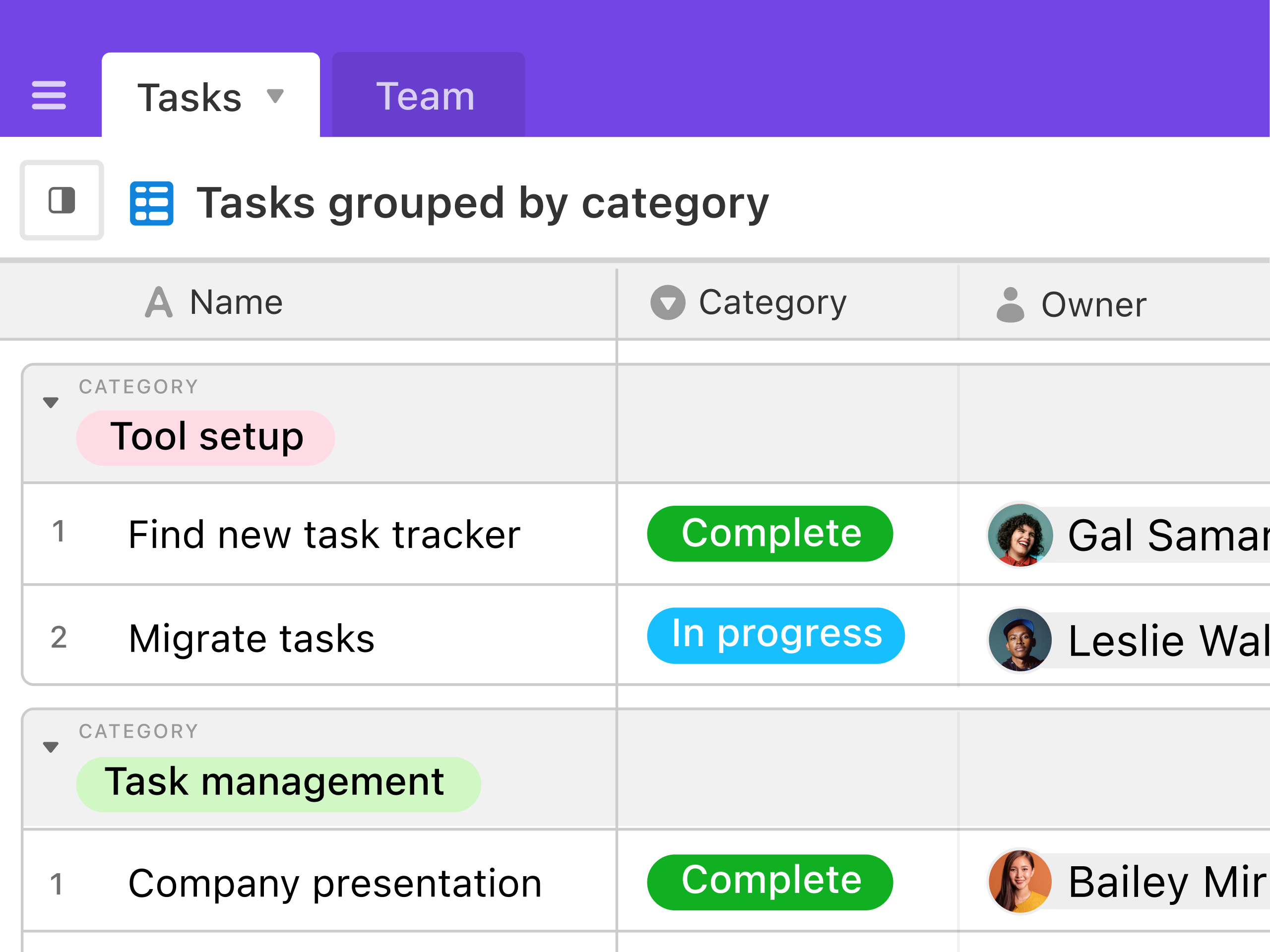
Disorganization destroys productivity before a major project even begins. Visual task management software solves this problem by organizing goals into clear boards. You can track progress across distinct columns like backlog, in-progress, and completed.
Furthermore, assigning specific team members and due dates eliminates any confusion. Checking off completed assignments releases a satisfying wave of motivation. Moreover, drag-and-drop interfaces make updating project statuses effortless. Visual task boards form the core of a successful remote operation.
Collaborating on Documents in Real Time
Sending separate file attachments back and forth creates massive version control errors. Cloud-based document editors allow multiple users to type simultaneously on a single file. You see live cursor movements and edits as they happen. Furthermore, integrated comment sections let team members debate ideas right on the text margin. You eliminate the nightmare of merging conflicting document drafts. Moreover, cloud synchronization saves every keystroke automatically to protect your work. Real-time document editing accelerates creative content creation.
Organizing Files with Cloud Storage Platforms
Searching for lost documents creates high levels of frustration. Physical paper files take up unnecessary room in home offices. Instead, migrate all your important project assets to secure cloud storage platforms. Furthermore, cloud directories allow instant file retrieval from any web-enabled device.
You can share large folders with clients or colleagues using secure links. Moreover, automatic backups protect your data against unexpected hardware failures. Organized digital storage keeps your digital workspace smooth and uninterrupted.
Hosting Face-to-Face Meetings via Video Conferencing
Remote work can sometimes feel isolated without face-to-face interaction. Video conferencing software bridges geographical gaps through high-definition virtual meetings. You can host brainstorming sessions, weekly check-ins, or client presentations seamlessly.
Furthermore, screen-sharing features let you demonstrate software workflows or design mockups live. You record meetings easily for colleagues who missed the live session. Moreover, virtual breakout rooms allow smaller teams to collaborate in focused groups. Video tools inject human connection back into virtual employment.

Utilizing Time-Blocking and Focus Software
Constant digital notifications fracture your attention span throughout the day. Time-blocking applications help you reclaim deep focus and concentration. You divide your digital calendar into dedicated blocks for specific assignments. Furthermore, you can use built-in timers to alternate between focused work and short breaks. During focus periods, you silence chat apps and close unnecessary browser tabs. Moreover, structured time management prevents multitasking errors and mental exhaustion. Focused execution yields vastly superior results in half the time.
Automating Repetitive Administrative Tasks
Manual data entry and repetitive clicking waste hours of valuable work time. Modern automation software eliminates these tedious chores completely. You can connect different software applications to transfer data automatically.
Furthermore, automated sorting rules organize incoming customer requests into designated folders instantly. You stop wasting energy on routine administrative maintenance. Moreover, workflow automation tools handle repetitive status updates without human intervention. Reclaiming those lost hours allows you to focus heavily on creative problem-solving.
Managing Finances with Digital Expense Software
Financial tracking causes major administrative headaches for growing remote teams. Automated expense management applications simplify your corporate budgeting completely. You connect company cards to monitor project expenditures in real time.
Furthermore, the software categorizes travel and software subscriptions into neat digital receipts. You spot unnecessary overhead costs and cut wasteful software subscriptions instantly. Moreover, automated invoice reminders prevent late payment fees. Financial transparency keeps your remote business running smoothly.
Utilizing Password Managers for Secure Access
Remembering dozens of complex login credentials wastes precious minutes daily. Password management software stores all your secure keys in one encrypted vault. You only need to memorize one master password to access your entire software suite.
Furthermore, these tools generate unbreakable passwords for every new platform you adopt. Autofill features log you into dashboards within a fraction of a second. Moreover, security alerts notify you immediately if any account data gets compromised. Digital security tools save time while protecting sensitive company assets.
Practicing Digital Minimalism and Reducing App Clutter
Overloaded computer screens and messy desktop folders cause cognitive overload. Digital minimalism encourages you to uninstall unused applications and archive old project files. Furthermore, turning off non-essential push notifications stops constant attention fragmentation.
You regain control over your time instead of reacting to endless alerts. Moreover, a clean virtual interface promotes calm and deliberate focus. Simplifying your digital footprint enhances your overall mental clarity.
Journaling for Remote Work Reflection
Mental fatigue often stems from unprocessed tasks and overwhelming project scopes. Daily journaling acts as a powerful mental release valve. You write down your daily wins, obstacles, and upcoming priorities every morning. Furthermore, evening reflections help you evaluate what worked and what needs improvement.
Writing things down structures your chaotic thoughts into clear action plans. Moreover, regular introspection fosters emotional resilience and continuous self-improvement. Mental clarity accelerates your journey toward peak professional performance.
Final Thoughts
Mastering the components of a functional digital workspace transforms your career completely. You discover that remote productivity stems from smart software systems rather than exhausting overwork. Every single application and habit you implement builds a smoother, more rewarding professional routine.
Whether you communicate via chat platforms, manage tasks on visual boards, or secure files in the cloud, your efforts compound over time. Embrace these smart tools on your next professional project. Let a well-optimized workspace guide your path toward a brighter, stress-free tomorrow.