A database migration can put critical systems offline, and the cost of this may go well beyond the migration itself. So how can enterprises shift their databases to AWS with minimal disruption?
AWS Database Migration Service (AWS DMS) offers a feasible solution. It can replicate data while the source database is still up and running, continually copying changes with Change Data Capture (CDC). This synchronizes the target throughput to the planned cutover, minimizing the need for extended downtime.
For businesses, this means fewer disruptions, less migration overhead, and more control over the move. When planned correctly, AWS DMS may make Cloud Database Migration more predictable and keep downtime and unwanted expenses under control.
What are AWS Database Migration Services?
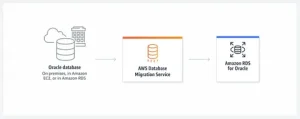
AWS Database Migration Service is an AWS-managed service that is used to assist organizations in migrating databases and data loads between supported source and target environments. It allows for both homogeneous migrations (e.g., MySQL to MySQL) and heterogeneous migrations (e.g., Oracle to PostgreSQL). DMS is also capable of doing an initial full load and then replicating the changes that follow in real-time, with the use of Change Data Capture (CDC), so that the source database can stay online throughout the migration.
For heterogeneous migrations, the AWS DMS Service also offers DMS Schema Conversion, which evaluates source objects, converts supported database schemas and code, and identifies components that need manual handling. DMS offers data replication and schema conversion features that empower teams to manage database migration with less disruption and greater control.
How Does the AWS DMS Service Work?
A typical migration would look like this:
- Test the Source Database: Learns the engine, schema complexity, data volume, dependencies, and migration restrictions.
- Prepare the Target: Prepares the destination database, networking, security, and necessary AWS resources.
- Do a Full Load: DMS copies the current source data to the target.
- Enable CDC: DMS records the changes that occur on the source database.
- Check the Target: Compares the source and target data and identifies discrepancies.
- Cutover: When the replication latency is minimal and the validation criteria have been satisfied, the application is redirected to the target.
How Does AWS Database Migration Service Reduce Migration Costs?
Migration expenses go beyond infrastructure. The overall cost can greatly increase due to engineering effort, downtime, temporary resources, manual conversion, testing, and remediation. AWS Database Migration Service is extensively used to manage these costs by minimizing manual effort, optimizing migration resources, and minimizing expensive business disruptions.
1. Prevents Overcapacity in Migration
AWS DMS provides configured replication instances and server less capacity, enabling organizations to reconfigure migration resources to meet real workload needs. Server less can automatically scale capacity up or down, helping businesses avoid paying for oversized infrastructure that is underutilized at various points of migration.
2. Automates Work in Schema Conversion
DMS Schema Conversion converts supported database schemas and code in heterogeneous migrations using automatic assessment and conversion. This lowers the manual effort that database administrators and developers need to perform and assists in reducing engineering expenses, while specialists can work on more complex conversion needs.
3. Optimizes Replication Resources
AWS DMS enables organizations to choose replication resources based on the needs of the migration workload. A full load might consume more capacity than later CDC replication, and therefore the resources can be adjusted to accommodate it without necessarily extending the migration schedule.
4. Minimizes Costly Downtime
During the source database migration, AWS DMS maintains the operational database and constantly replicates the changes. This enables businesses to reserve a limited amount of time for the final cutover. This minimizes revenue loss, disruption of operations, and other expenses occurring due to application unavailability.
5. Simplifies Migration Tooling
AWS DMS aids migrations on popular database engines such as Oracle, SQL Server, PostgreSQL, and MySQL. This minimizes reliance on individual migration tools and comprehensive customization, assisting organizations in streamlining their AWS Data Migration strategy and controlling implementation costs in a more efficient manner.
How Does AWS Database Migration Service Minimize Downtime?
AWS DMS reduces downtime by allowing most of the migration to take place while the source database is still active. It does not treat migration as one disruptive event. It keeps data in sync and only leaves the final changeover for the cutover window.
1. Continuous Data Replication Ensures Systems Keep Running
AWS DMS conducts a full load first, and then apps continue to access the source database. It then captures and replicates ongoing changes to the target using Change Data Capture (CDC), ensuring synchronization between the two environments while keeping production workloads operating without extended interruption.
2. CDC Reduces the Final Cutover Window
Since most of the data is moved before cutover, teams don’t have to wait for the full database to be copied during the maintenance session. They can interrupt writes, permit the rest of the change to propagate, authenticate the target, and redirect applications.
3. Automated Recovery Assists in Eliminating Migration Delays
Checkpoints allow AWS DMS to resume replication after certain network or replication-instance failures. Rather than starting the migration over again from the beginning, DMS can pick up where it left off, preserving the migration work already accomplished and helping to avoid additional delays.
4. Data Validation Identifies Issues Ahead of Cutover
AWS DMS provides data validation tools that let you compare data in the source and target during transfer. Identifying variances before the production cutover provides teams with the opportunity to analyze and rectify issues without increasing the window for business disruption.
5. Multi-AZ Deployment Improves Resilience for Critical Migrations
For migration tasks requiring higher availability, AWS DMS enables Multi-AZ deployments with a standby replication instance in another Availability Zone. If the main replication instance fails, DMS can fail over and resume tasks, minimizing the chance of extended migration stoppage.
What Determines AWS DMS Success?
Migration cost and downtime can be lowered using AWS DMS; however, success largely depends on the way the migration is planned and implemented. The overall outcome depends on the complexity of databases, the size of workloads, the need to replicate databases, the network setup, the readiness of the target, and the planning of cutovers.
1. Assess The Source
Start by auditing database engines, versions, data volumes, data schemas, dependencies, and transaction activity. Such an evaluation helps in understanding compatibility problems, the complexity involved in migrations, and selecting an appropriate DMS setup before the data movement begins.
2. Choose The Strategy
Identify whether the workload needs homogeneous or heterogeneous migration, full-load replication, or full-load with CDC. The right approach must be based on application dependencies, permissible downtime, the nature of the database, target architecture, and the overall migration goals.
3. Monitor Migration Performance
Track the latency of replicating tracks, task state, CPU usage, memory, storage, as well as source and target performance during migration. This allows detecting bottlenecks promptly, optimizing replication resources, and avoiding performance problems that may delay the migration process.
4. Plan The Cutover
Specify when application writes are complete, how final synchronization is to be verified, and how applications will attach to the target. Pre-determining rollback procedures can also assist teams in responding quickly in case unforeseen problems arise during production cutover.
Conclusion
Moving data is not the only key to a successful database migration, but rather sustaining business continuity at a reasonable cost and limiting downtime. AWS Database Migration Service offers resources that can help make this transition more predictable with the use of continuous replication, scalable capacity, and data validation. The path forward lies in planning based on what you really work on. Evaluate dependencies, establish a downtime allowance, appropriately size the resources for the migration, test the target, and perform a final cutover rehearsal. The right strategy would enable AWS DMS to transform an intricate database migration into a managed movement with reduced operational risks and a more predictable cost of migration.