






Cloud storage has changed the way people store and access their files. Instead of relying only on physical hard drives or USB devices, individuals and businesses now save documents, photos, videos, and important data in the cloud. This approach offers greater convenience because users can access their files from almost anywhere with an internet connection. However, storing valuable information online also creates new security challenges that users should never ignore.
Understanding the right security practices helps reduce the risk of unauthorized access and data loss. Although cloud service providers invest heavily in protecting their platforms, users also play an important role in keeping their accounts secure. Simple habits such as creating strong passwords, enabling additional security features, and monitoring account activity can make a significant difference. These cloud storage security tips will help you protect your files while allowing you to enjoy the convenience of cloud-based storage.
Why Cloud Storage Security Is Important
Cloud storage services contain some of your most valuable digital assets. Personal photos, financial documents, business records, contracts, and confidential files often remain stored in cloud accounts for years. If unauthorized users gain access to this information, they may steal sensitive data, misuse confidential documents, or even delete important files. As a result, poor security practices can lead to financial loss, identity theft, and damaged business operations.
Strong cloud security also protects your privacy. Many people store personal memories, work projects, and confidential information online without realizing how valuable those files are. By following good security practices, you reduce the chances of cybercriminals accessing your information while maintaining greater control over your digital assets.
Create a Strong and Unique Password
Build a Password That Is Difficult to Crack
Your cloud storage account is only as secure as the password protecting it. Many users continue to choose simple passwords because they are easier to remember, but weak passwords are also much easier for attackers to guess. Cybercriminals use automated software that tests thousands of common password combinations within seconds. Therefore, creating a strong password should always be your first priority.
A secure password should include uppercase letters, lowercase letters, numbers, and special characters. It should also avoid personal information such as birthdays, names, or phone numbers. Longer passwords provide better protection because they require significantly more effort to break.
Never Reuse Passwords Across Accounts
Using the same password for multiple online accounts creates unnecessary risk. If another website experiences a data breach, attackers may try those stolen passwords on your cloud storage account. This technique, known as credential stuffing, remains one of the most common methods used by cybercriminals.
Instead, create a unique password specifically for your cloud storage account. A trusted password manager can help generate and securely store strong passwords, making it easier to maintain good security habits without memorizing dozens of different credentials.
Enable Two-Factor Authentication
Two-factor authentication adds another layer of security beyond your password. After entering your login details, you must also verify your identity using a code sent to your phone or generated by an authentication application. Even if someone steals your password, they cannot access your account without completing this second verification step.
Most major cloud storage providers offer two-factor authentication at no additional cost. Activating this feature only requires a few minutes, but it dramatically improves account security. Consequently, cybersecurity experts recommend enabling it for every account that stores important information.
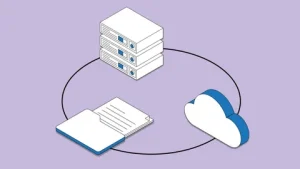
Encrypt Sensitive Files Before Uploading
Cloud providers often encrypt files while storing and transferring them. However, encrypting highly sensitive documents before uploading them adds another valuable layer of protection. Even if someone somehow gains access to your stored files, they cannot read the contents without the encryption key.
Many free and paid encryption tools allow users to protect confidential files with strong encryption. Businesses handling financial records, legal documents, or customer information often use this additional safeguard to strengthen data protection. Personal users can also benefit from encrypting documents that contain sensitive personal information.
Review Sharing Permissions Carefully
Share Files Only with Trusted People
Cloud storage platforms make collaboration simple by allowing users to share folders and documents with others. While this feature improves productivity, it can also expose sensitive information if sharing settings remain too open. Accidentally granting public access may allow anyone with the link to view or download your files.
Before sharing documents, review the available permission settings carefully. Limit access to specific individuals whenever possible and avoid creating publicly accessible links unless absolutely necessary. This simple habit significantly reduces the risk of unauthorized file access.
Remove Unused Access Regularly
Over time, many shared links and permissions become unnecessary. Former employees, old collaborators, or completed projects may still have access to documents that no longer require sharing. Leaving these permissions active increases unnecessary security risks.
Review your shared files regularly and remove access that is no longer needed. Keeping permissions up to date helps maintain tighter control over your cloud storage account while reducing the chances of accidental data exposure.
Keep Your Devices Secure
Protecting your cloud storage account also requires securing the devices you use to access it. If your laptop, smartphone, or tablet becomes infected with malware, attackers may steal login credentials or gain direct access to your files. Therefore, device security remains an important part of cloud security.
Install reputable antivirus software, enable automatic operating system updates, and use device passwords or biometric authentication whenever possible. These protective measures reduce the likelihood of unauthorized access while strengthening your overall cybersecurity.
Monitor Account Activity
Most cloud storage providers maintain detailed activity logs that show recent logins, file changes, and connected devices. Reviewing this information regularly helps you identify suspicious behavior before it becomes a serious problem. If you notice logins from unfamiliar locations or devices, change your password immediately and remove unauthorized access.
Many services also send security alerts when someone logs into your account from a new device. Enabling these notifications provides an additional level of awareness and allows you to respond quickly to potential security incidents.
Avoid Public Wi-Fi When Accessing Sensitive Files
Public Wi-Fi networks in airports, hotels, restaurants, and coffee shops often lack strong security protections. Cybercriminals sometimes monitor these networks to capture sensitive information transmitted by connected users. Accessing confidential cloud storage files through unsecured networks increases the risk of unauthorized interception.
If you must use public Wi-Fi, avoid opening sensitive business or financial documents whenever possible. A trusted virtual private network (VPN) encrypts your internet connection and provides additional protection while using public networks. This extra layer of security helps keep your cloud activity private.
Back Up Important Data
Although cloud storage providers maintain reliable infrastructure, unexpected problems can still occur. Accidental deletion, ransomware attacks, or account compromise may result in lost files if you rely on only one storage location. Maintaining additional backups ensures that your important information remains available even if something goes wrong.
Store copies of critical files on an external hard drive or another secure cloud service. Scheduling automatic backups simplifies this process and reduces the chance of forgetting important data. Multiple backups provide greater peace of mind while strengthening your overall data protection strategy.
Stay Alert for Phishing Attacks
Cybercriminals frequently send fake emails that appear to come from cloud storage providers. These messages often claim that your account requires verification or that someone has shared an important file with you. Clicking the provided links may redirect you to fraudulent login pages designed to steal your credentials.
Always verify unexpected emails before entering your login information. Visit your cloud provider’s official website directly instead of using links contained in suspicious messages. Developing this habit helps prevent phishing attacks and protects your cloud storage account from unauthorized access.
Conclusion
Following these cloud storage security tips can greatly reduce the risk of losing valuable data or exposing sensitive information. Strong passwords, two-factor authentication, encrypted files, secure sharing practices, and regular account monitoring all work together to create a much safer cloud storage experience. Each protective measure strengthens your overall security while making it more difficult for attackers to compromise your account.
Cloud storage offers flexibility, convenience, and reliable access to your files, but security should always remain a priority. By adopting responsible online habits and using the built-in security features provided by your cloud storage service, you can confidently protect your personal and business data while enjoying the full benefits of cloud technology.


