





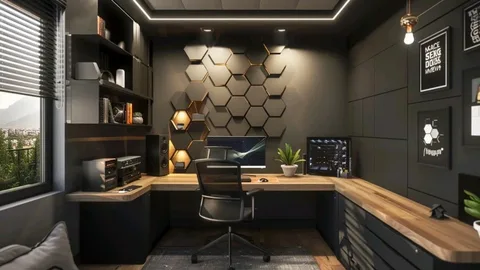
Working from a remote space presents a unique design puzzle today. You need a space that encourages high-level professional output every morning. At the same time, you want your residence to maintain its welcoming comfort. Many remote workers make the mistake of setting up random, temporary workstations. You might type from your kitchen island or hunch over your coffee table. This poor choice generates immediate physical fatigue and continuous mental distraction. Your body aches, and your focus fragments before your workday even truly begins. You leave your makeshift desk feeling completely drained every single afternoon.
Fortunately, building an inspiring workspace does not require a massive commercial floor plan. Creating a functional home office relies on intentional furniture choices and spatial organization. You must design a dedicated area that prepares your nervous system to focus. This humanized guide delivers practical, creative ideas to upgrade your physical work environment. You will learn how to align your layout for peak comfort, eliminate clutter, and optimize your lighting.
Mastering Your Physical Layout via Strategic Zonal Design
Your immediate physical environment heavily influences your daily energy level. Many ambitious professionals pack all of their tasks onto a single desk surface. You answer video calls, read long documents, and eat lunch in the exact same spot. This continuous repetition creates a dense cloud of mental stagnation over your desk. Your brain starts to associate the surface with constant stress, which triggers rapid procrastination.
To maximize your focus, divide your available room into distinct functional zones. Establish your primary desk surface exclusively for your high-intensity production tasks. Keep your laptop, secondary monitor, and primary input tools strictly inside this zone. Next, position a comfortable accent armchair or a cushioned bench near a window. Designate this secondary area as your creative brainstorming or reading corner. Moving away from your main screen to review documents provides your brain with vital variety.
Furthermore, consider the physical backdrop of your primary workspace carefully. Remote professionals participate in numerous virtual meetings and digital presentations every single week. Position your desk so your camera captures a clean, organized wall behind your seat. Arrange a floating bookshelf with a few plants to create a polished background. This intentional styling ensures you project a highly professional image without using artificial filters.
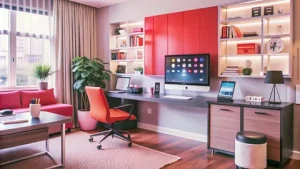
Implementing the Rules of Advanced Ergonomics for Longevity
True workplace productivity is impossible to maintain if you suffer from continuous physical discomfort. Many remote workers use trendy, unsupportive chairs because they match their home decor. This compromise strains your lumbar muscles and compresses your spinal discs over time. You find yourself constantly shifting your weight and stretching your neck to find relief. This continuous physical friction drains your willpower and cuts your deep work sessions short.
To safeguard your physical health, apply strict ergonomic standards to your furniture configuration. Adjust your office chair height so your feet rest entirely flat on the floor. Your thighs should sit completely parallel to the ground to prevent lower back pressure. Position your desk surface so your elbows bend at a comfortable ninety-degree angle while typing. This alignment allows your shoulder muscles to remain fully relaxed during long data-entry tasks.
Additionally, elevate your primary display monitors to protect your cervical spine. The top third of your computer screen should align perfectly with your natural eye level. If you work directly on a standard laptop, buy a dedicated riser stand immediately. Pair the elevated laptop with an external mechanical keyboard and a high-quality mouse. This simple adjustment stops you from hunching forward, completely eliminating chronic neck strain.
Eliminating Cognitive Clutter through Hidden Cable Systems
Visual clutter acts as a persistent, exhausting tax on your daily attention span. When your desk features a tangled mess of power cords, your mind experiences subtle stress. Your eyes scan the disorder, which increases your baseline frustration during difficult projects. Clear surfaces allow for rapid transitions between complex tasks, keeping your thoughts organized.
-
Install Under-Desk Cable Trays: Route all your power strips and device wires into a hidden mesh basket fixed underneath your desktop.
-
Utilize Magnetic Cord Clips: Anchor your active charging cables to the edge of your desk using sleek magnetic holders.
-
Mount Your Power Blocks: Use heavy-duty adhesive strips to secure bulky power bricks directly to the underside of your furniture.
-
Build Upward with Pegboards: Clean your immediate desktop by moving small accessories onto a vertical wall-mounted pegboard system.
Mount a sturdy wire management tray directly to the framework beneath your wooden desk. Gather your loose monitor cords, computer chargers, and accessory cables together using hook-and-loop straps. Place your main power strip inside the hidden tray to clear the floor space beneath your feet. This total elimination of visual chaos leaves your immediate desk area completely pristine. It creates a calm sanctuary that allows your intellect to engage deeply with your core objectives.
Layering Your Light Sources to Protect Your Vision
Relying on a single, harsh overhead light bulb causes rapid eye fatigue and afternoon headaches. Many home offices feature poor lighting choices that clash with glowing computer monitors. This extreme contrast forces your eyes to work overtime to balance the brightness. You must layer different lighting types to cultivate an optimal focus environment.
Position your main desk perpendicular to your windows to maximize natural daylight hours. This placement provides a steady stream of sunlight without creating blinding reflections on your monitor screen. Next, add a dedicated task lamp featuring an adjustable arm right next to your keyboard. Use a warm LED bulb to illuminate your physical documents clearly without casting deep shadows. Finally, install a soft LED light bar directly behind your monitor housing to create ambient backlighting. This subtle layer softens the contrast between your display and the dark wall behind it.
Owning Your Creative Domain
Transforming your home office layout does not require an architectural degree or a corporate budget. It requires a quiet, disciplined commitment to optimizing your physical space and respecting your body’s biological needs. Committing to a highly structured workspace provides the ultimate foundation for an exceptionally rewarding remote career. You protect your health, unlock your professional creativity, and finish your daily objectives with speed. Take absolute charge of your environment tomorrow morning, organize your layout with purpose, and build the magnificent workspace you deserve.