






Managing complex team operations over simple email loops and messaging threads creates immediate organizational friction. Tasks slip through the cracks easily, milestones fall behind schedule, and employees struggle to identify their primary daily priorities. To eliminate this operational chaos, modern businesses deploy dedicated project management software. These advanced digital systems act as a centralized command center. They turn abstract team goals into concrete, trackable, and highly visible action steps.
However, selecting the absolute perfect platform depends entirely on how your specific team thinks and delivers work. A creative marketing agency requires completely different software architecture than a software engineering team or a spreadsheet-native corporate finance office. This comprehensive guide highlights the absolute best project management software available today. We break down the top options by their primary functional strengths to help you choose the ideal system.
Asana
Asana stands as the undisputed premier choice for balancing powerful administrative features with exceptional, highly intuitive user design.
The software excels at turning massive, multi-phase initiatives into tidy, digestible task hierarchies. You can view your project data through beautiful interactive timelines, traditional list views, or clean calendar grids effortlessly. Furthermore, Asana features excellent built-in approval workflows. This capability allows team leads to review and sign off on project deliverables directly inside a task window, preventing administrative bottlenecks completely. It strikes the perfect operational balance for non-technical departments like marketing, human resources, and operations.
Monday.com
Monday.com positions itself as a highly adaptable work operating system that completely eliminates traditional spreadsheet drudgery.
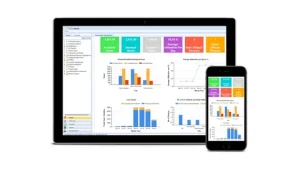
The platform uses color-coded, grid-style boards that allow beginners to grasp project health status at a single glance. The standout capability of Monday.com centers around its incredibly dense pre-built automation recipes. You do not need to write a single line of computer code to automate repetitive office tasks. For instance, you can configure a rule that says: “When a status changes to stuck, immediately assign the task to the director and alert the team via Slack.” This instant automation removes human error from daily reporting completely. It serves as an incredible tool for visibility-obsessed delivery leads.
ClickUp
ClickUp operates with an aggressive, maximalist feature strategy, marketing itself as the single app to replace all other office tools.
The software bundles task tracking, native doc editors, custom whiteboards, goal metrics, and time tracking modules inside one centralized interface. This dense consolidation prevents your organization from paying for five different software subscriptions simultaneously. ClickUp also features an incredibly deep task hierarchy system, allowing you to nest subtasks dozens of levels deep. While the massive feature suite presents a noticeable learning curve for absolute beginners, it offers unmatched custom flexibility for tech-savvy, scaling teams.
Smartsheet
Many traditional corporate teams, finance departments, and operational managers flatly refuse to use playful, colorful task boards. They prefer the strict data auditing capabilities of a standard spreadsheet layout.
Smartsheet solves this friction point perfectly by wrapping an enterprise-grade project engine around a familiar spreadsheet grid. The system handles massive databases effortlessly, allowing you to manage hundreds of rows with intricate predecessor logic, critical path mapping, and automated formula tracking. It gives corporate executives a highly familiar way to audit timeline variances and resource allocations across entire global portfolios. It functions beautifully when leadership demands rigid data precision.
Jira
If your organization builds complex computer software, standard task lists are completely insufficient. You require a specialized platform built explicitly around Agile development principles.
Jira remains the absolute undisputed global industry standard for technical engineering teams. The platform tracks bug reports, user stories, and software code repository links across highly structured Scrum and Kanban frameworks. Developers use the platform to run two-week development sprints, estimate task complexity via story points, and monitor codebase deployment cycles in real time. While the interface feels overwhelmingly complex for non-technical business employees, it gives software product managers unparalleled control over release schedules.
Critical Factors to Evaluate Before Committing Your Budget
Adopting a new corporate platform takes massive collective effort. You must evaluate key operational parameters before signing a long-term software contract.
First, analyze the technical literacy level of your actual daily users. If you force a highly creative team to use a dense database tool, they will bypass the system and track work on personal paper notebooks. Choose a platform that matches your team’s natural workflow comfort.
Second, examine the quality of the built-in mobile application experiences. Modern project management requires mobile flexibility. Your field staff, sales reps, and traveling executives must be able to log field updates, attach photos, and check off milestones smoothly from their smartphones.
Third, verify the depth of the integration marketplace. Your project tool should link cleanly with your active corporate email systems, file storage vaults, and customer relationship management engines. Seamless background data syncing prevents manual double-entry and saves hundreds of hours of administrative time annually. Treat your software choice as the digital foundation of your business infrastructure, and select the system that clears your specific production bottlenecks.