






Managing projects successfully requires more than assigning tasks and setting deadlines. Teams need clear communication, organized workflows, and real-time visibility into project progress. As businesses grow, keeping everyone aligned becomes increasingly challenging without the right tools. Project management software helps solve these problems by bringing planning, collaboration, and reporting into one centralized platform.
Choosing the best project management software can improve productivity, reduce missed deadlines, and strengthen teamwork. Whether you are managing a small startup, a growing business, or a large enterprise, the right solution helps organize projects while keeping everyone focused on shared goals. This guide explores the benefits of project management software, highlights some of the most popular options, and explains how to select the right platform for your organization.
Why Project Management Software Is Important
Modern projects often involve multiple team members working across different locations and departments. Without a structured system, important tasks can become overlooked, communication may suffer, and deadlines can easily slip. Project management software provides a central workspace where teams can assign tasks, monitor progress, share files, and communicate effectively.
These platforms also improve transparency. Managers gain real-time visibility into project status, while employees clearly understand their responsibilities and upcoming deadlines. As a result, teams make better decisions, reduce confusion, and complete projects more efficiently.
Features to Look for in Project Management Software
Task and Workflow Management
An effective project management platform should make it easy to create tasks, assign responsibilities, and monitor progress. Users should be able to organize projects into milestones, prioritize activities, and update task status with minimal effort. A clear workflow helps teams stay organized while reducing unnecessary delays.
Many platforms also include recurring tasks, automation, and customizable workflows. These features eliminate repetitive administrative work and allow teams to focus more on completing meaningful projects.
Collaboration and Communication
Successful projects depend on strong communication. Project management software should provide built-in messaging, file sharing, comments, and real-time updates so that everyone stays informed. Team members can discuss tasks directly within the platform instead of searching through lengthy email conversations.
Cloud-based collaboration also supports remote and hybrid work environments. Employees can access project information from anywhere while working together seamlessly across different locations and time zones.
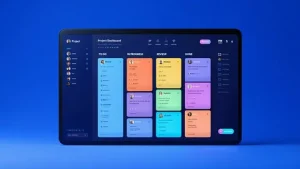
Best Project Management Software
Asana
Asana is one of the most popular project management platforms for businesses of all sizes. It helps teams organize projects, assign tasks, track deadlines, and monitor overall progress through an intuitive interface. Managers can view projects using lists, boards, timelines, or calendars depending on their preferred workflow.
The platform also supports automation, recurring tasks, and integrations with many business applications. These capabilities reduce manual work while improving coordination across departments. Asana works well for marketing teams, software development, operations, and general business management.
Trello
Trello uses a visual Kanban board system that makes project management simple and easy to understand. Users organize work using boards, lists, and cards that represent different project stages. Drag-and-drop functionality allows teams to update project status quickly while maintaining a clear overview of ongoing work.
Its straightforward design makes Trello an excellent choice for small businesses, freelancers, and teams that prefer visual task management. Despite its simplicity, it supports automation, integrations, and collaboration features that enhance everyday productivity.
Monday.com
Monday.com offers a highly customizable workspace that adapts to different industries and business processes. Teams can build workflows for project management, customer relationship management, marketing campaigns, software development, and many other operations. This flexibility makes it suitable for organizations with diverse requirements.
The platform also provides dashboards, reporting tools, and automation features that help managers track performance and identify potential bottlenecks. Businesses looking for an adaptable project management solution often choose Monday.com because of its extensive customization options.
ClickUp
ClickUp combines project management, document creation, goal tracking, time management, and collaboration into a single platform. Instead of switching between multiple applications, teams can manage nearly every aspect of their work within one centralized workspace.
Its flexible views include lists, boards, calendars, Gantt charts, and timelines that accommodate different project styles. ClickUp also supports workflow automation, making it an excellent option for businesses seeking a comprehensive productivity solution.
Jira
Jira is widely recognized as one of the leading project management tools for software development teams. It supports agile methodologies, sprint planning, issue tracking, and bug management while helping development teams coordinate complex technical projects.
Although Jira primarily serves software teams, many organizations also use it for workflow management beyond development. Its advanced reporting and customization capabilities make it especially valuable for larger technical environments.
Benefits of Using Project Management Software
Project management software improves productivity by organizing work into clear, manageable tasks. Employees understand what they need to accomplish, managers monitor progress in real time, and leadership gains better visibility into overall project performance. This structured approach reduces confusion while improving accountability across the organization.
These platforms also strengthen collaboration by centralizing communication, documents, and updates. Team members spend less time searching for information and more time completing meaningful work. Consequently, projects move forward more efficiently while maintaining higher quality standards.
Automation Saves Valuable Time
Many modern project management platforms include automation features that eliminate repetitive administrative tasks. Teams can automatically assign work, update project status, send reminders, notify stakeholders, and trigger workflows based on predefined conditions. This reduces manual effort while improving consistency across projects.
Automation also minimizes human error because routine processes follow standardized rules. Employees can focus on strategic decision-making rather than repeatedly performing the same administrative activities every day.
Integration With Other Business Tools
Project management software becomes even more valuable when it connects with other business applications. Many platforms integrate with email, cloud storage, communication tools, calendars, accounting software, and customer relationship management systems. These integrations reduce duplicate data entry while creating a smoother workflow across departments.
A connected technology environment improves efficiency because information moves automatically between systems. Employees spend less time switching between applications and more time focusing on productive work.
Choosing the Right Project Management Software
The best solution depends on your organization’s size, industry, and operational needs. Small businesses may prefer simple platforms with intuitive interfaces, while larger organizations often require advanced reporting, automation, and resource management capabilities. Identifying your team’s workflow before selecting software helps ensure a better long-term fit.
You should also consider scalability, pricing, security, customer support, and available integrations. Testing free trials allows teams to evaluate usability before making a financial commitment. Selecting software that aligns with your business processes increases user adoption and delivers greater long-term value.
Future Trends in Project Management Software
Artificial intelligence is rapidly transforming project management. Many platforms now include AI-powered features that generate meeting summaries, predict project risks, recommend task priorities, and automate repetitive workflows. These intelligent capabilities help managers make faster decisions while improving overall efficiency.
As remote work continues to grow, project management software will place even greater emphasis on collaboration, automation, and real-time communication. Businesses that adopt these innovations will be better positioned to manage complex projects while maintaining strong teamwork across distributed environments.
Conclusion
The best project management software helps businesses organize tasks, improve communication, automate workflows, and complete projects more efficiently. Whether you choose Asana, Trello, Monday.com, ClickUp, or Jira, each platform offers valuable features that support collaboration and productivity across different industries.
Successful project management is not simply about tracking deadlines. It involves creating clear workflows, improving teamwork, and giving employees the tools they need to perform at their best. By selecting software that matches your organization’s goals and processes, you can streamline operations, enhance project visibility, and achieve consistent long-term success.


